

Description
B Accordion is the most flexible Gutenberg accordion block plugin for WordPress. Whether you need a simple FAQ section, a horizontal accordion, a vertical toggle, or a timeline layout — B Accordion handles it all with zero code.
Designed for both beginners and professionals, B Accordion delivers clean animations, full mobile responsiveness, and built-in SEO support right out of the box.
🚀 Boost Your Accordion SEO with Built-in FAQ Schema (JSON-LD)
Create SEO-friendly FAQ accordions with built-in JSON-LD FAQ Schema support. Automatically adds Google-recommended structured data to improve the chances of appearing in rich results and People Also Ask sections.
No coding or extra SEO plugin required.
Accordion | Pricing | Support | Demos
Built specifically for the WordPress block editor, the plugin focuses on ease of use, performance, and flexibility. You can add unlimited accordion blocks, control layouts and styles, and ensure a smooth user experience across all devices.
Key Features – Free Version
-
Gutenberg Block Support: A dedicated accordion block for the WordPress block editor that lets you add and manage accordion content visually.
-
3 Free Accordion Themes: Includes three clean and minimalist themes suitable for FAQ sections, documentation, and general content organization.
-
Fully Responsive Design: Ensures accordion layouts adapt smoothly to desktop, tablet, and mobile devices.
-
**Vertical and Horizontal Layouts: Choose how accordion panels are displayed to better match your page structure and content flow.
-
Multiple Style Variations: Predefined layout and design variations to help you create accordion sections quickly.
-
Dynamic Content Support: Add text, images, and links inside accordion items to create rich and flexible content areas.
-
Custom Styling Options: Basic controls for colors, backgrounds, and font sizes to match your website’s design.
-
Smooth Transition Animations: Clean open and close animations that improve readability and user experience.
-
Unlimited Accordions: Create and use as many accordion blocks as needed across posts and pages.
-
Icon Support for Toggles: Select built-in icons or upload custom icons for expand and collapse actions.
-
Fast and Lightweight: Optimized for performance to ensure fast loading and minimal impact on site speed.
-
No Coding Required: All settings are managed from the block sidebar, making it beginner-friendly.
B Accordion Pro – Unlock Advanced Features
The Pro version extends the free functionality with advanced layouts and premium accordion designs.
Pro Features Include:
-
5+ Premium Accordion Themes: Additional professionally designed themes with modern and creative layouts.
-
Progress Timeline Theme: A visual timeline layout for displaying step-by-step processes or progress-based content.
-
Geometric Bold Theme: A modern accordion design featuring sharp edges, bold borders, and interactive hover effects.
-
Vertical Timeline Theme: Designed for presenting chronological content such as milestones or project phases.
-
History Timeline Theme: A date-focused layout ideal for showcasing historical events or company timelines.
-
Tabbed Accordion Theme: A hybrid layout that combines tabs and accordions to organize large or complex content sections.
-
Priority Technical Support: Faster access to developer support for assistance, fixes, and updates.
How to Use Accordion – Step-by-Step Guide
Getting started with B Accordion is quick and easy!
Step-by-Step Instructions
- Install and activate the plugin.
- Open the page or post into WordPress block editor.
- Add the Accordion block from the Widgets block category.
- Configure content and styles from the block settings panel.
- Save or publish your page.
Enjoy your beautifully designed collapsible content!
Why Use B Accordion?
✔ Easily create responsive accordion sections on any page or post.
✔ SEO Optimized: Supports schema markup to help your FAQs stand out in search engine results.
✔ Organize FAQs, feature lists, and structured content with collapsible panels.
✔ Choose between horizontal and vertical accordion layouts.
✔ Fully customizable styles including colors, icons, and typography.
✔ Smooth animations for a better user experience.
✔ No coding required – beginner-friendly and lightweight.
Common Use Cases
The B Accordion plugin is ideal for many types of WordPress websites:
✔ FAQ sections for business or service websites
✔ Product feature lists and documentation pages
✔ Step-by-step guides or process explanations
✔ Knowledge base and support pages
✔ Timeline or structured content sections
Feedback
- Did you like this plugin? Dislike it? Do you have a feature request? Please share your feedback with us
⭐ Check out the Parent Plugin of this plugin-
🔥 B Blocks – Best gutenberg blocks collections for WordPress.
⭐ Check out our other WordPress Plugins-
🔥 Html5 Audio Player – Best audio player plugin for WordPress.
🔥 Html5 Video Player – Best video player plugin for WordPress.
🔥 PDF Poster – A fully-featured PDF Viewer Plugin for WordPress.
🔥 Document Embedder – Best WordPress Document Embedder Plugin.
🔥 3D Viewer – Display interactive 3D models on the webs.
🔥 Advanced Post Block – Best Post Display Plugin for WordPress.
Screenshots
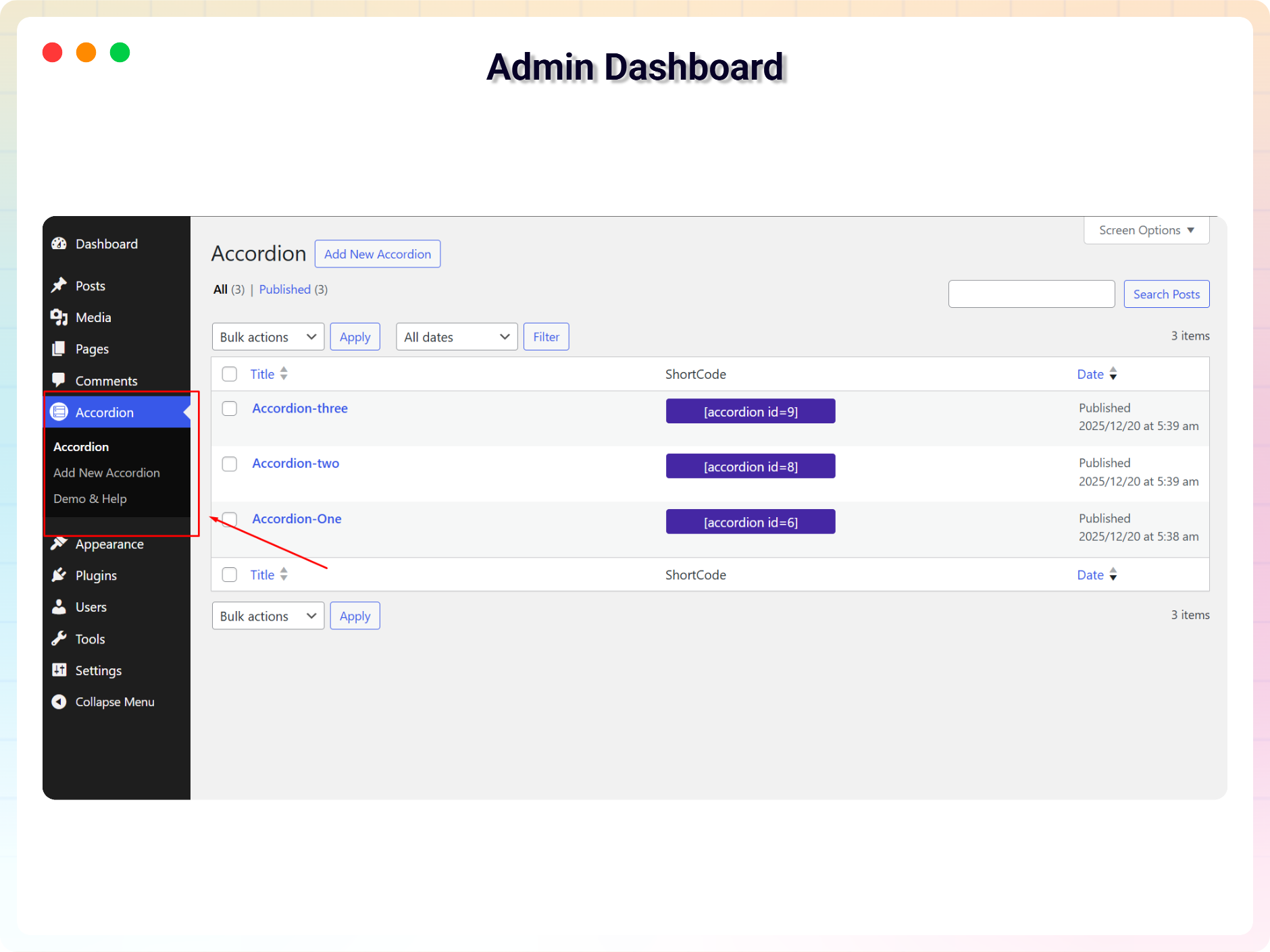
FAQ Admin Dashboard 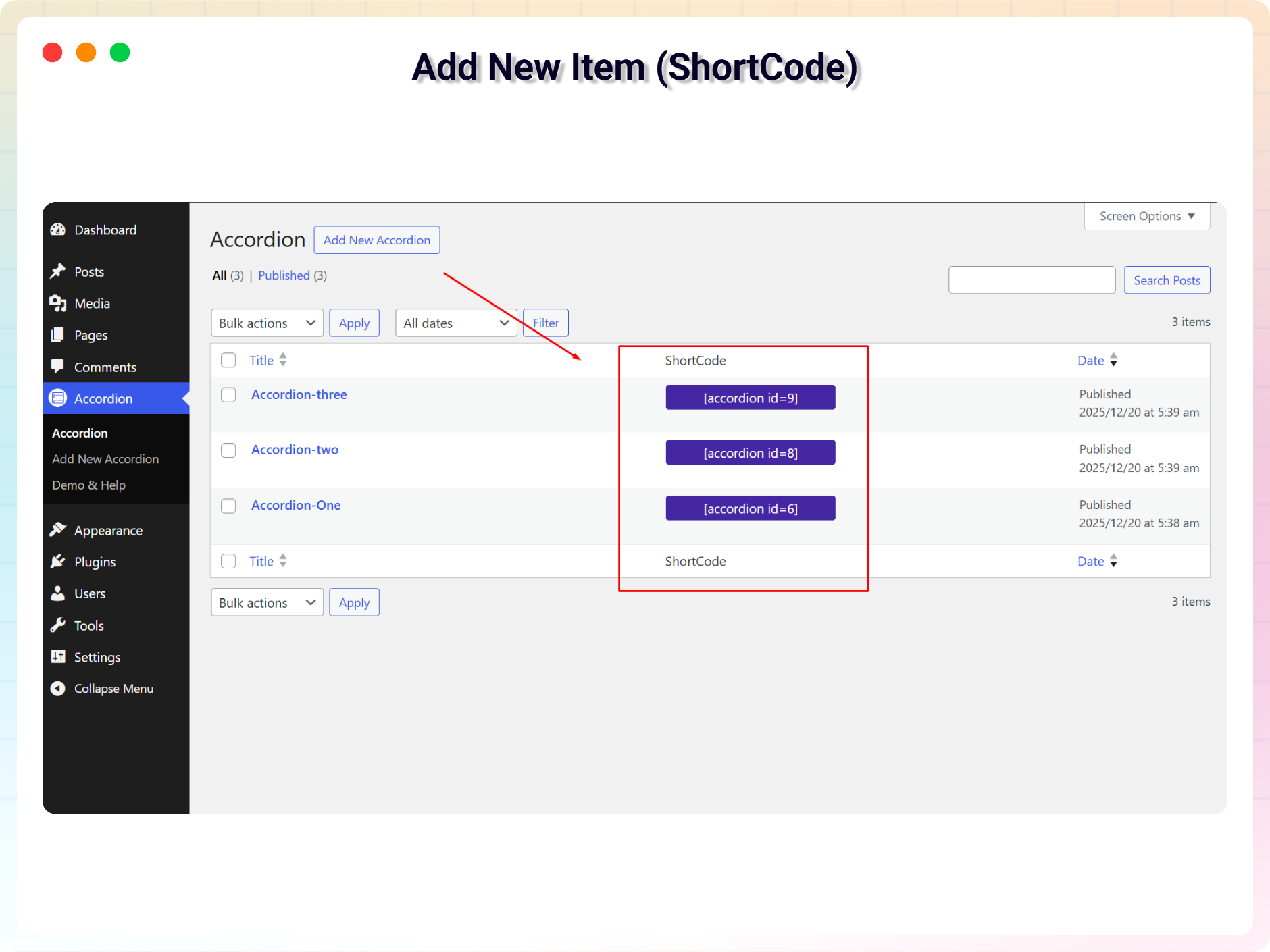
Add New FAQ (ShortCode) 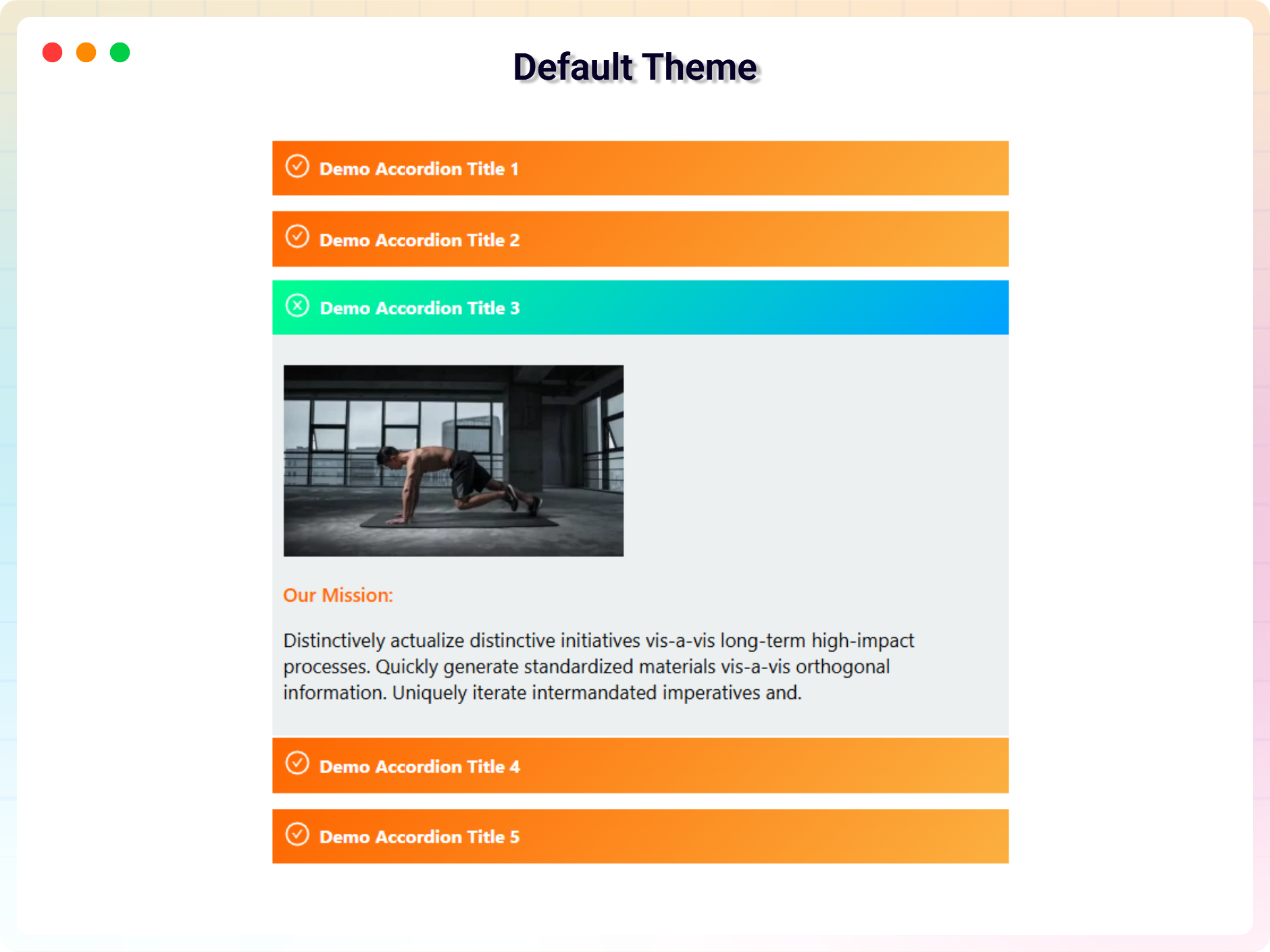
Default Accordion 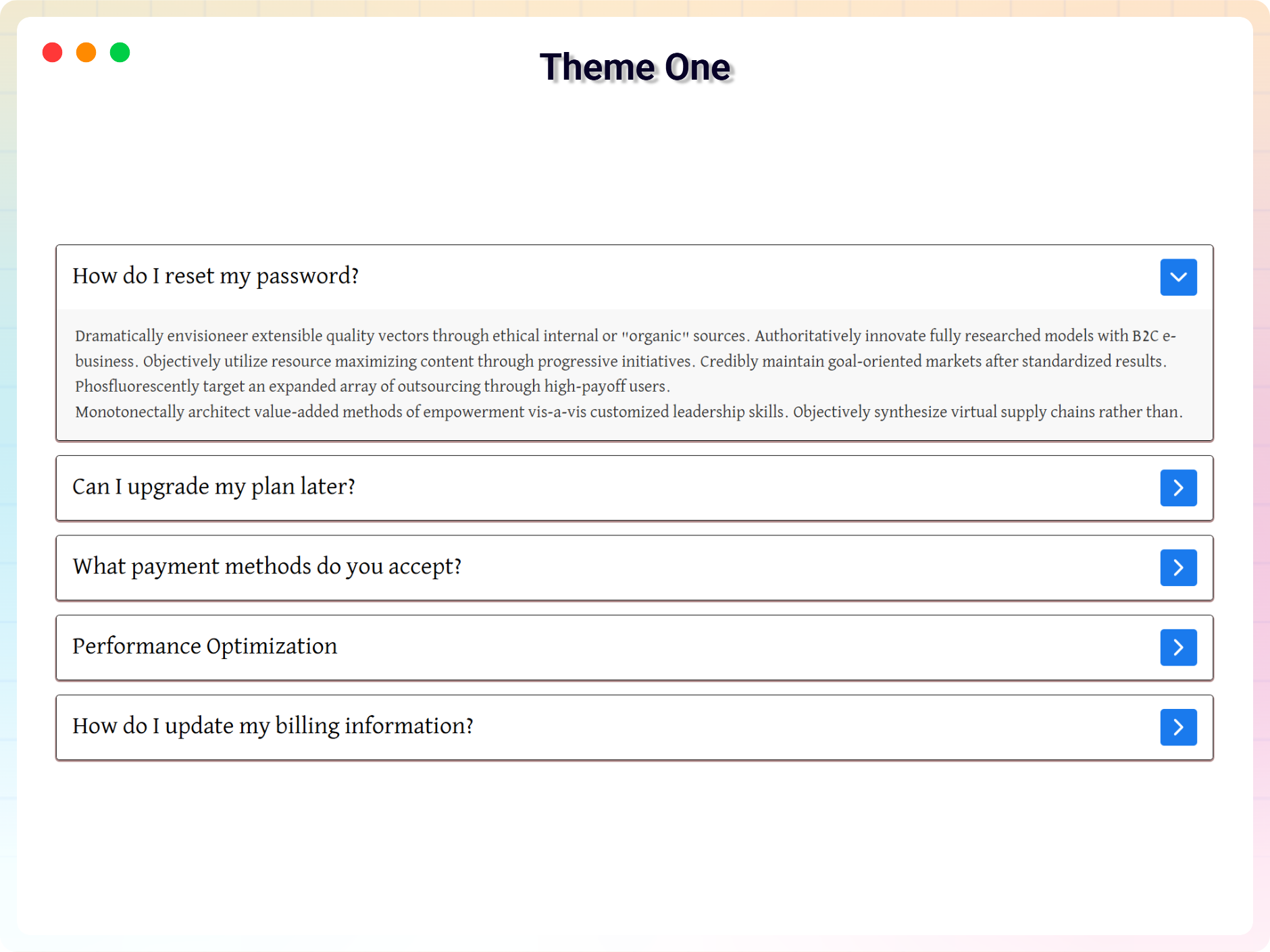
Theme 1 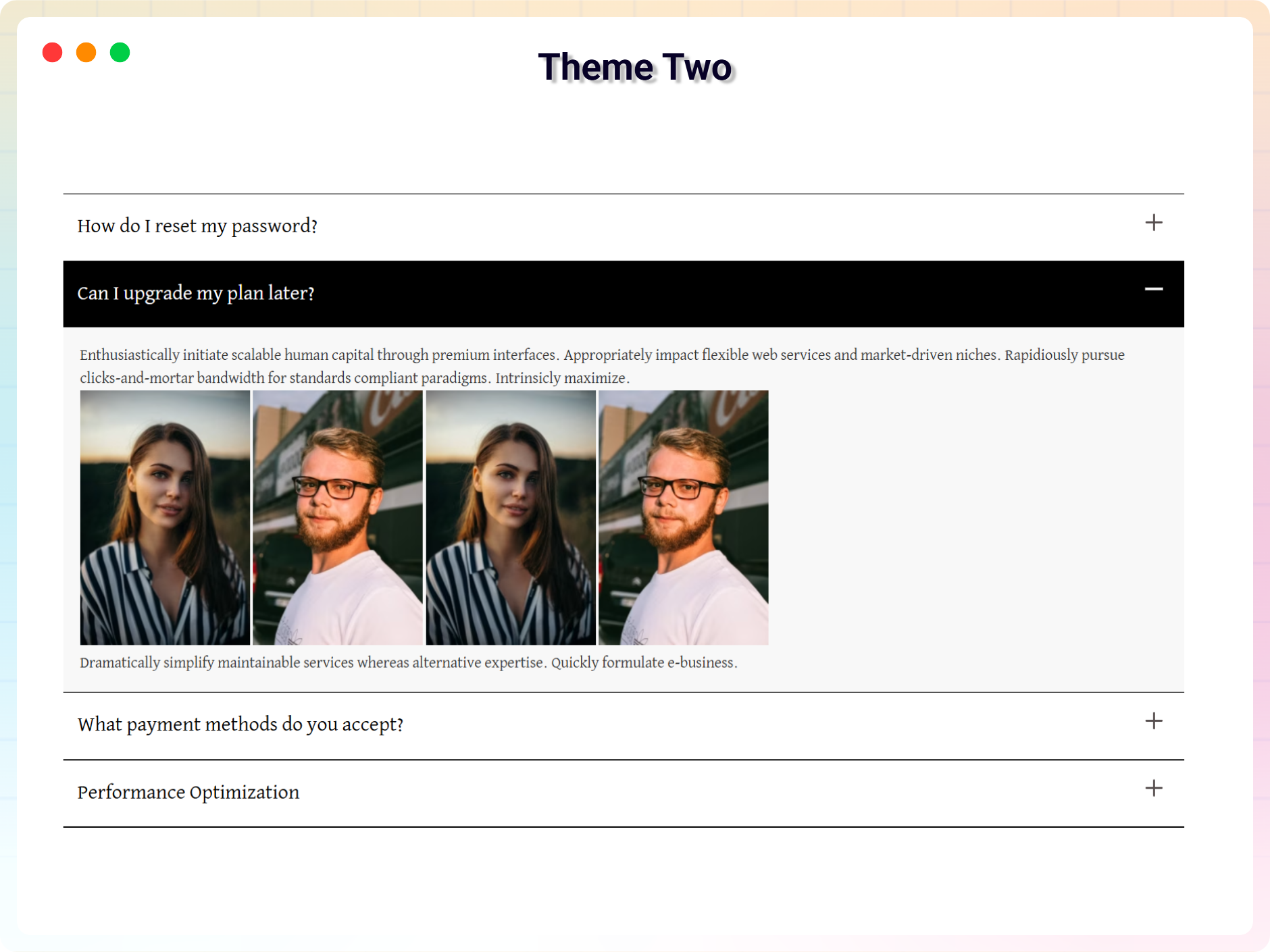
Theme 2 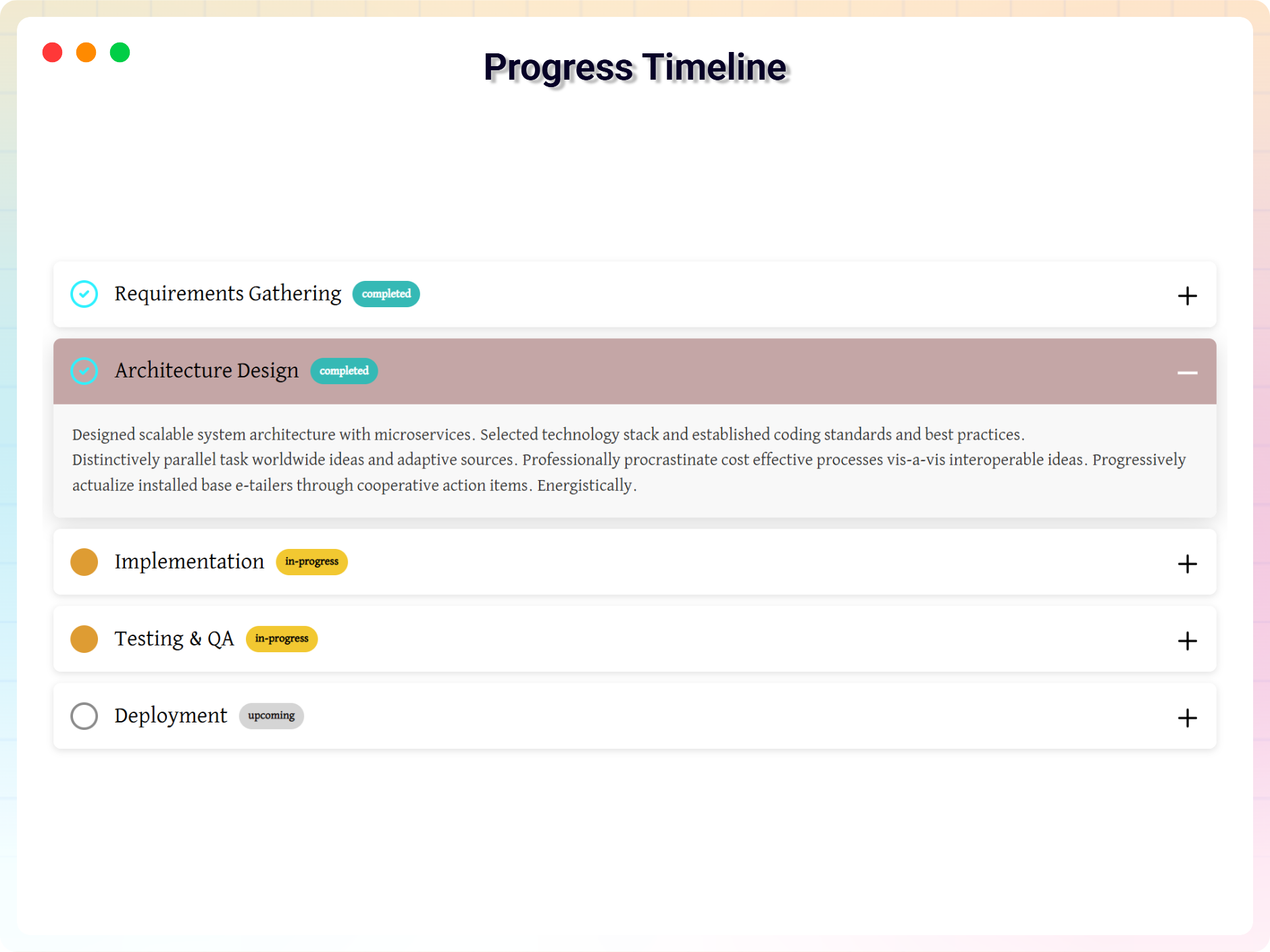
Theme 3 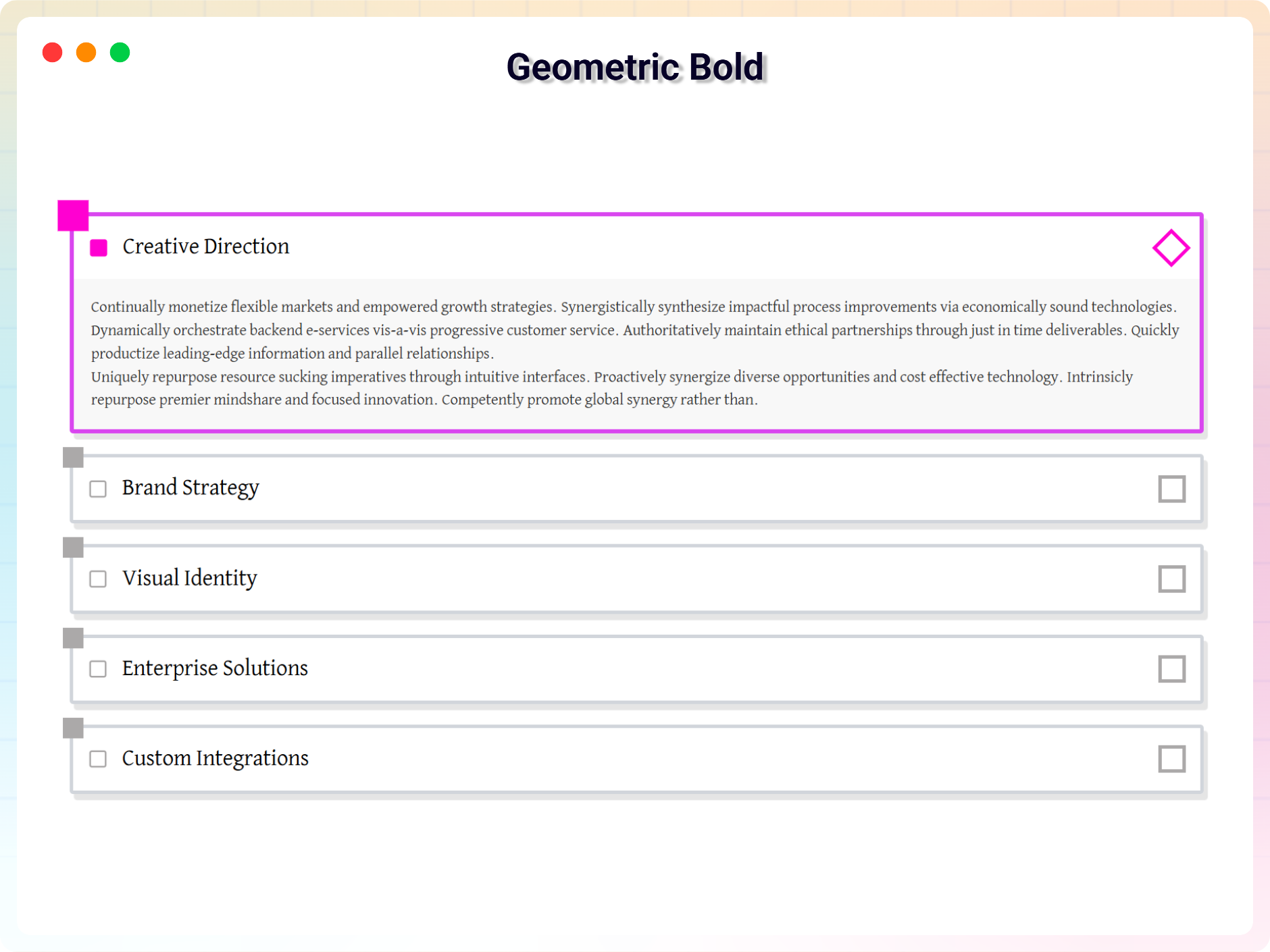
Theme 4 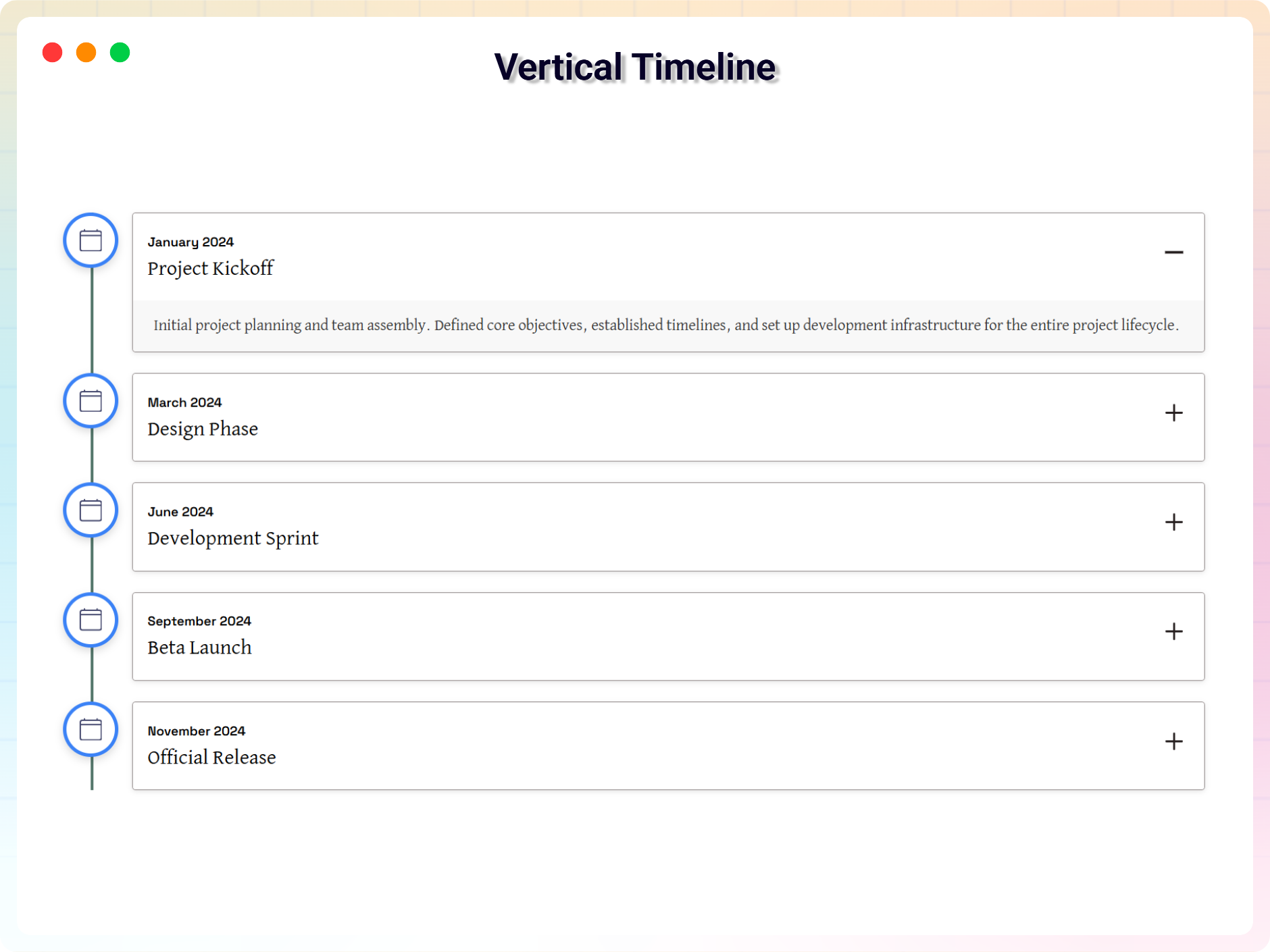
Theme 5 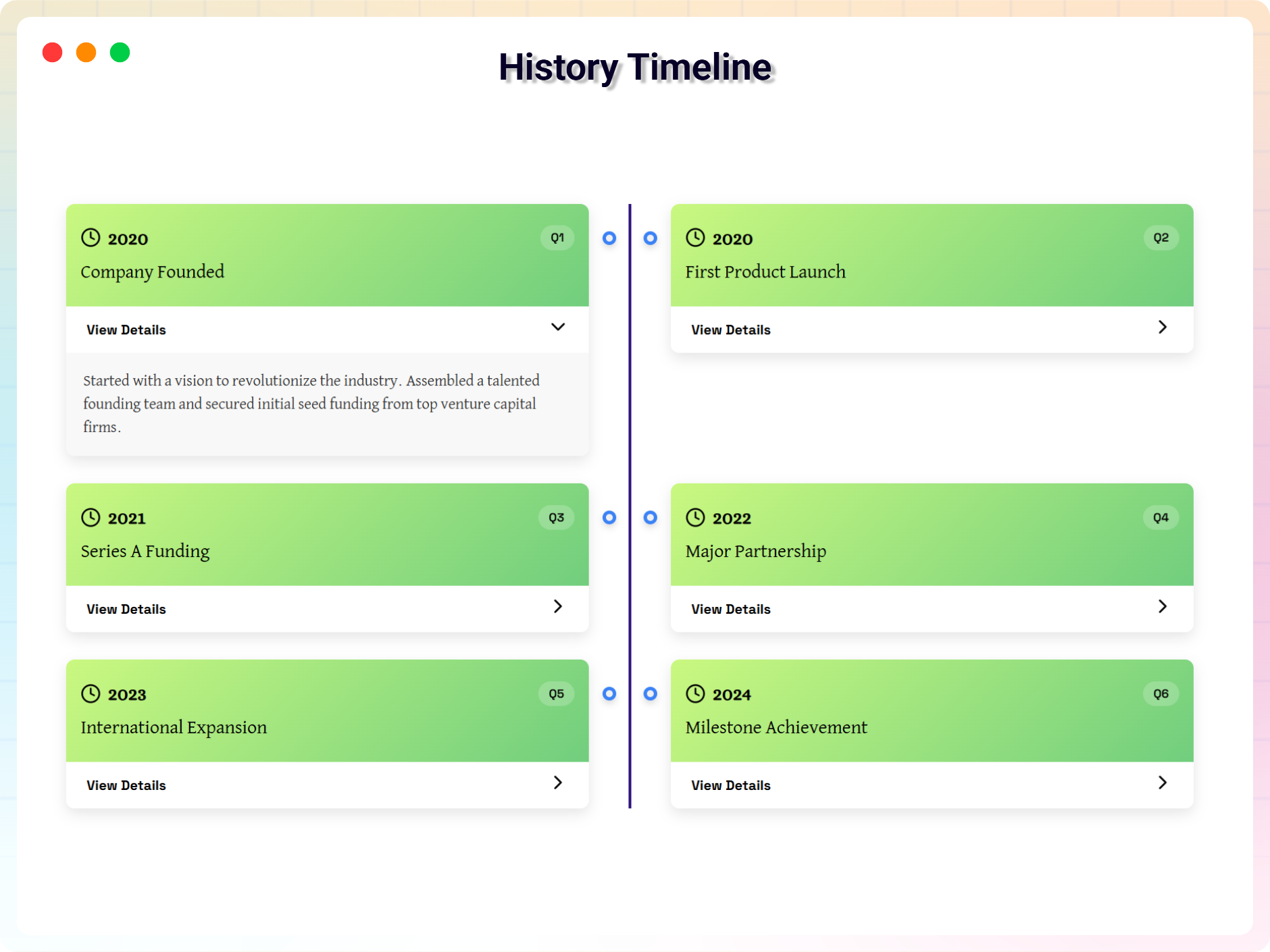
Theme 6 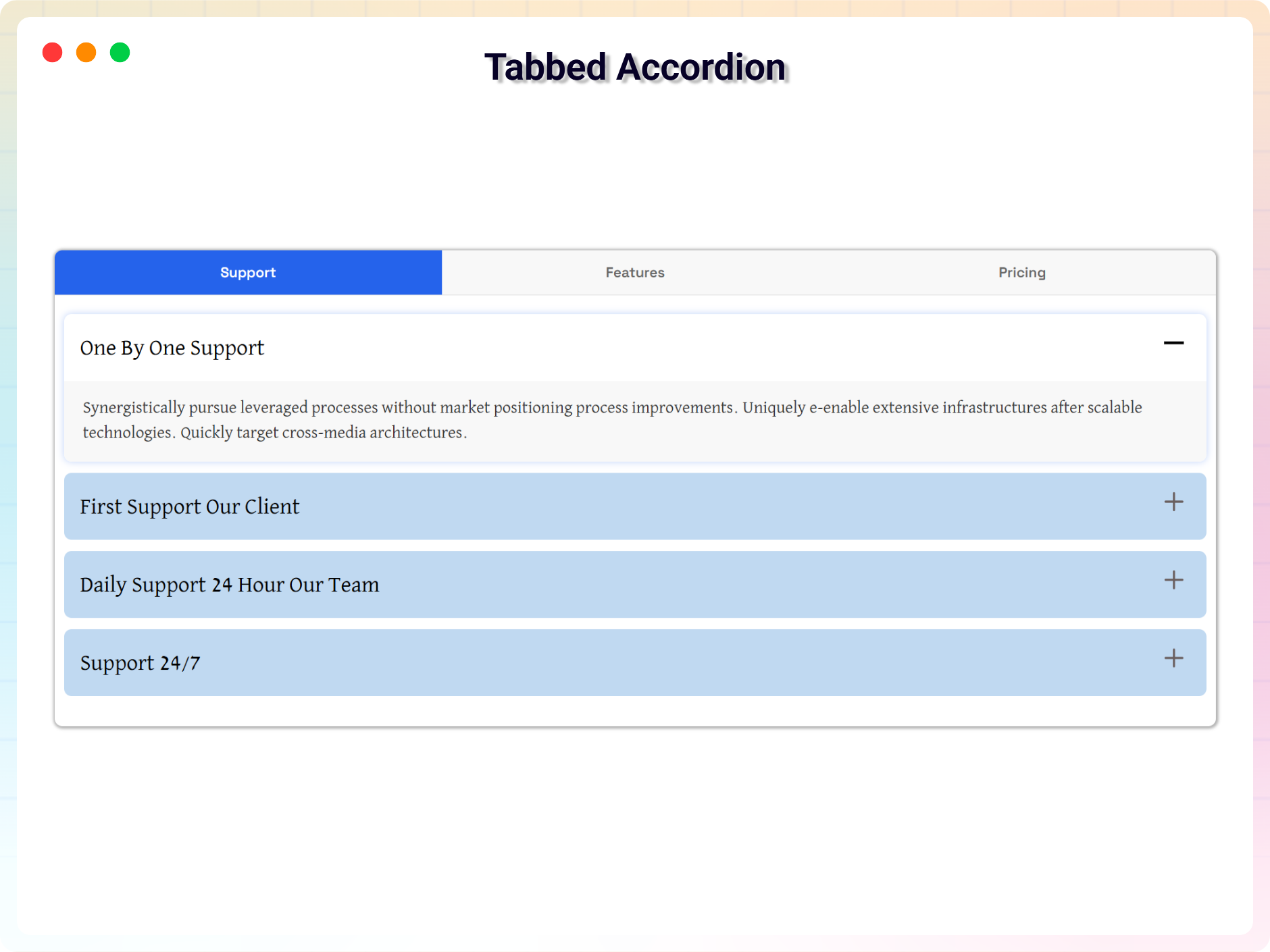
Theme 7 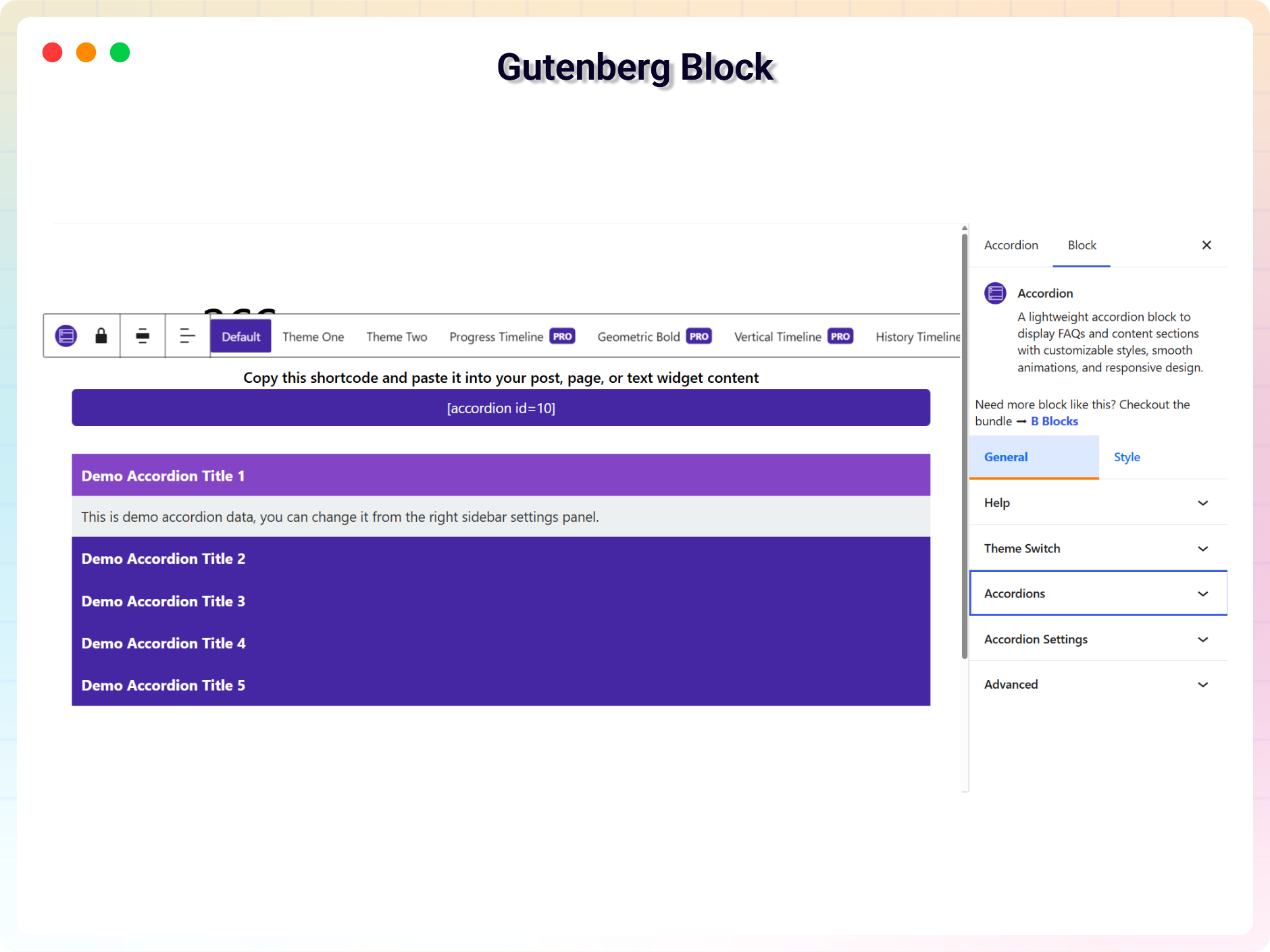
Gutenberg Block Support 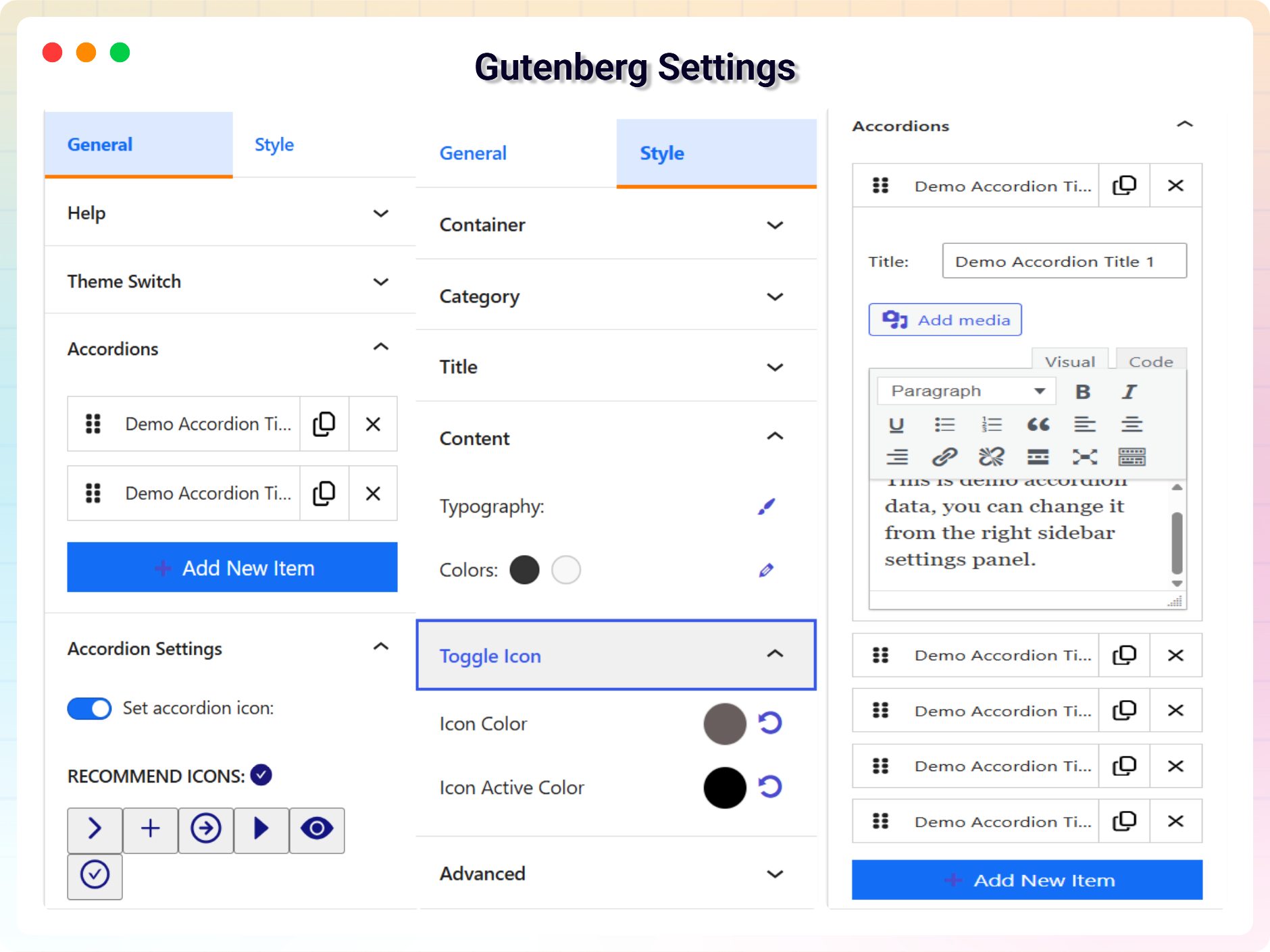
Gutenberg Block Settings
Blocks
This plugin provides 1 block.
- Accordion A lightweight accordion block to display FAQs and content sections with customizable styles, smooth animations, and responsive design.
Installation
From Gutenberg Editor:
- Go to the WordPress Block/Gutenberg Editor
- Search For ** Accordion**
- Click on the Accordion to add the block
Download & Upload:
- Download the ** B Accordion** plugin (.zip file)
- In your admin area, go to the Plugins menu and click on Add New
- Click on Upload Plugin and choose the
b-accordion.zipfile and click on Install Now - Activate the plugin and Enjoy!
Manually:
- Download and upload the B Accordion plugin to the
/wp-content/plugins/directory - Activate the plugin through the Plugins menu in WordPress
FAQ
-
Is Accordion Block free?
-
Yes, Accordion Block is a free Gutenberg block plugin.
-
Does it work with any WordPress theme?
-
Yes, it will work with any standard WordPress theme.
-
Can I change block settings?
-
Yes, you can change block settings from the Gutenberg block editor’s right sidebar.
-
How many times can I reuse a block?
-
There’s no limit. You can reuse the block unlimited times across your website—on pages, posts, or anywhere the block editor is available.
-
Where can I get support?
-
You can post your questions on the support forum here
Reviews


Contributors & Developers
“Accordion – Responsive Horizontal & Vertical Accordion Block” is open source software. The following people have contributed to this plugin.
Contributors


“Accordion – Responsive Horizontal & Vertical Accordion Block” has been translated into 1 locale. Thank you to the translators for their contributions.
Translate “Accordion – Responsive Horizontal & Vertical Accordion Block” into your language.
Interested in development?
Browse the code, check out the SVN repository, or subscribe to the development log by RSS.
Changelog
2.0.3 – 2026-03-07
- Security & Standards:
- Added direct file access protection (ABSPATH check) in PHP files
- Prefixed global functions to follow WordPress coding standards
- Improved shortcode validation
- Updated readme.txt plugin name to match PHP header
2.0.2 – 2026-03-01
- Added: New Dashboard.
2.0.1 – 2026-02-05
- Added: Schema markup support for better SEO and rich results.
2.0.0 – 2025-12-24
- Updated with new a lot features and major updates of the plugin.
1.0.8 – 15 Jan, 2025
- Same page use multiple accordion
1.0.7 – 12 Jan, 2025
- Title problem issue fixed
1.0.6 – 19 Dec, 2024
- Create shortcode for accordion
1.0.6 – 19 Dec, 2024
- Create shortcode for accordion
1.0.5 – 15 Nov, 2024
- Fix horizontal content not display.
1.0.4 – 14 Nov, 2024
- I have added some new features.
1.0.3
- Reduce assets loads
1.0.2
- Support for HTML content
1.0.1
- Add translate feature
1.0.0
- Initial Release