

Description
EU AI Act Ready is a WordPress AI transparency and AI disclosure plugin designed to support Article 50 obligations under the EU AI Act. It helps site owners clearly disclose AI-generated content, media, and AI-powered chatbots through configurable visitor notices.
The plugin enables identification, labeling, and disclosure of AI-generated text, images, and AI-powered chatbots across posts, pages, custom post types, and media uploads. It provides practical tools to support AI transparency expectations without collecting personal data or sending information to external services.
The plugin is designed to help website owners implement practical AI transparency and AI disclosure measures aligned with Article 50 of the EU AI Act.
EU AI Act Ready is designed as a technical transparency tool. It does not provide legal advice or guarantee regulatory compliance.
Article 50 AI Transparency (EU AI Act)
Article 50 of the EU AI Act introduces AI transparency obligations requiring disclosure when users interact with AI-generated content or AI systems.
EU AI Act Ready provides technical tools to support these transparency requirements by enabling site owners to disclose AI-generated content through clear, visitor-facing notices. Final responsibility for assessing and meeting legal obligations remains with the site owner.
AI Compliance Use Cases
EU AI Act Ready is suitable for websites that publish AI-generated content, use AI-powered chatbots, or integrate generative AI tools and need to provide transparency disclosures under Article 50 of the EU AI Act.
Key Features
- Four Disclosure Levels – Choose from No AI used, AI-assisted, AI-generated, or AI-generated & human-reviewed – each level shows a distinct, accurate notice to visitors
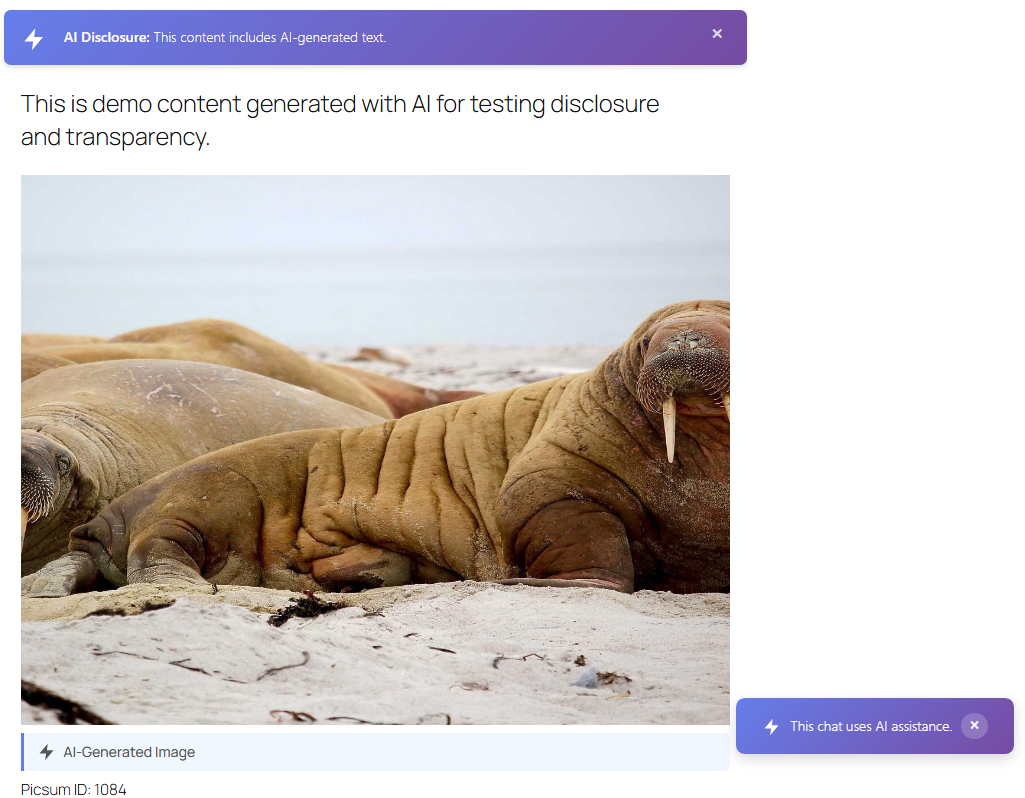
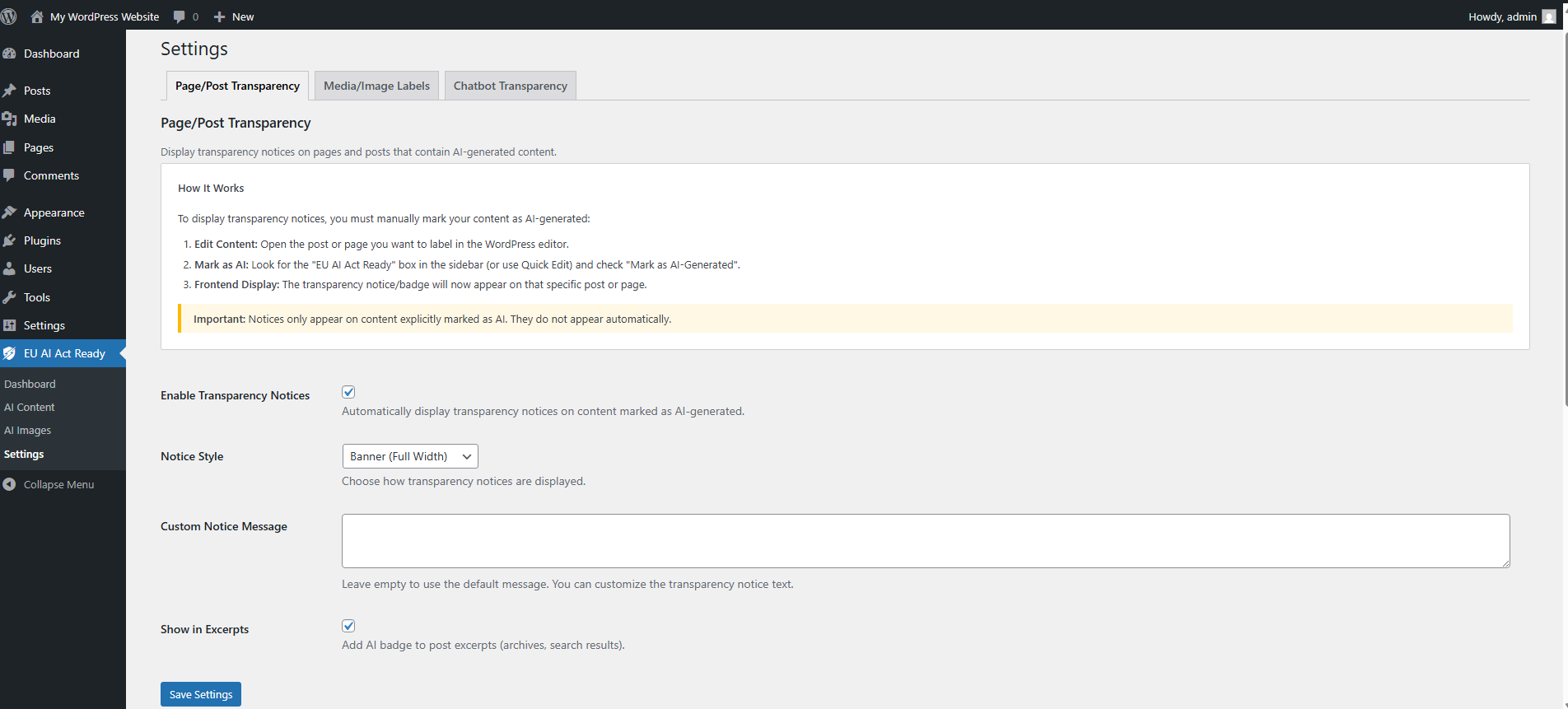
- Frontend Transparency Notices – Automatically display clear visitor notices when content is marked as AI-generated, in four configurable styles: Banner, Inline, Badge, or Modal
- Quick Edit & Bulk Support – Set the AI disclosure level directly from the Posts list via Quick Edit or bulk actions, without opening the post editor
- Chatbot Transparency – Adds disclosure notices for popular AI-powered chatbots including Formilla, Intercom, Drift, Tidio, Tawk.to, Zendesk Chat, LiveChat, Crisp, Freshchat, and custom chatbot integrations, in five styles: Banner, Badge, Inline, Modal, or Tooltip
- AI Content Admin Page – Dedicated admin page listing all AI-marked content items (posts, pages, and custom post types) with their disclosure level, with one-click unmark and bulk actions
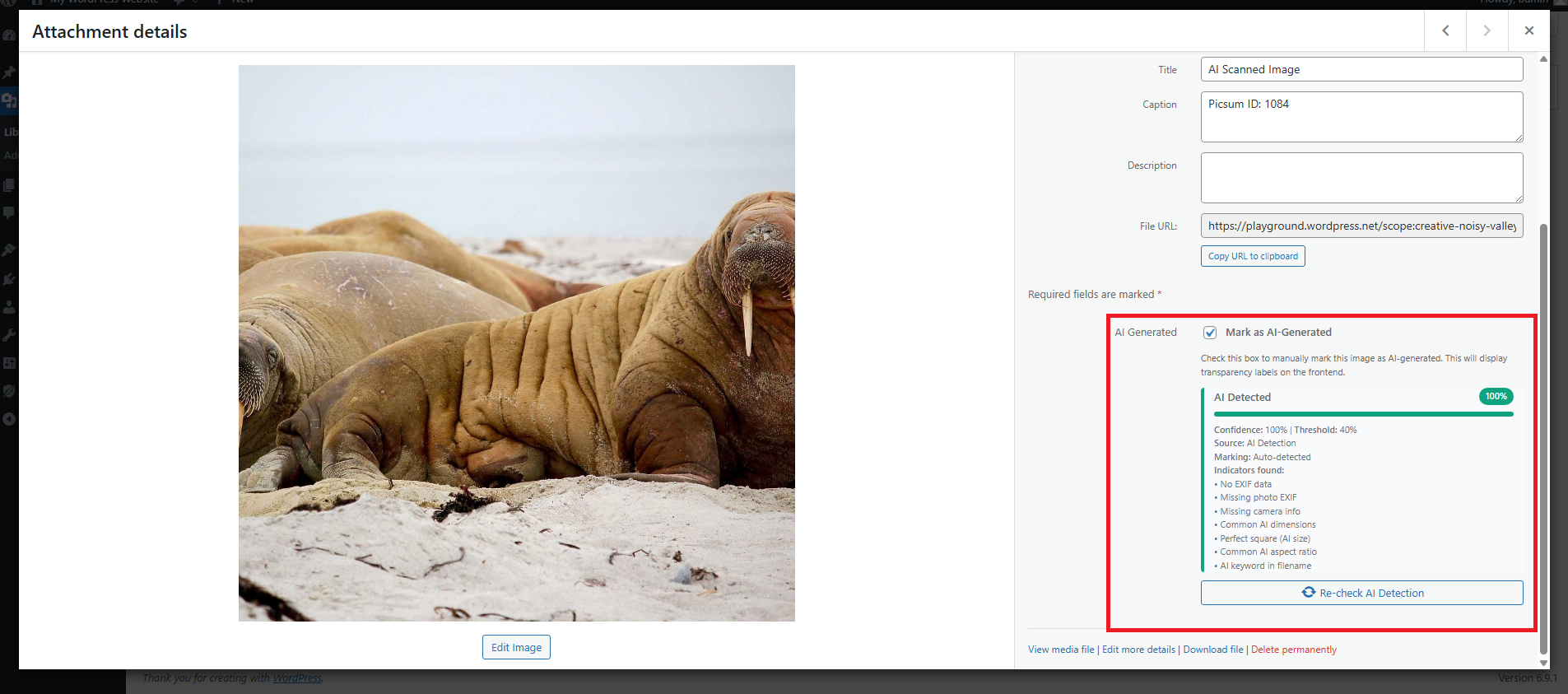
- Media & Image Analysis – Flags potentially AI-generated images using heuristic metadata signals and filename patterns
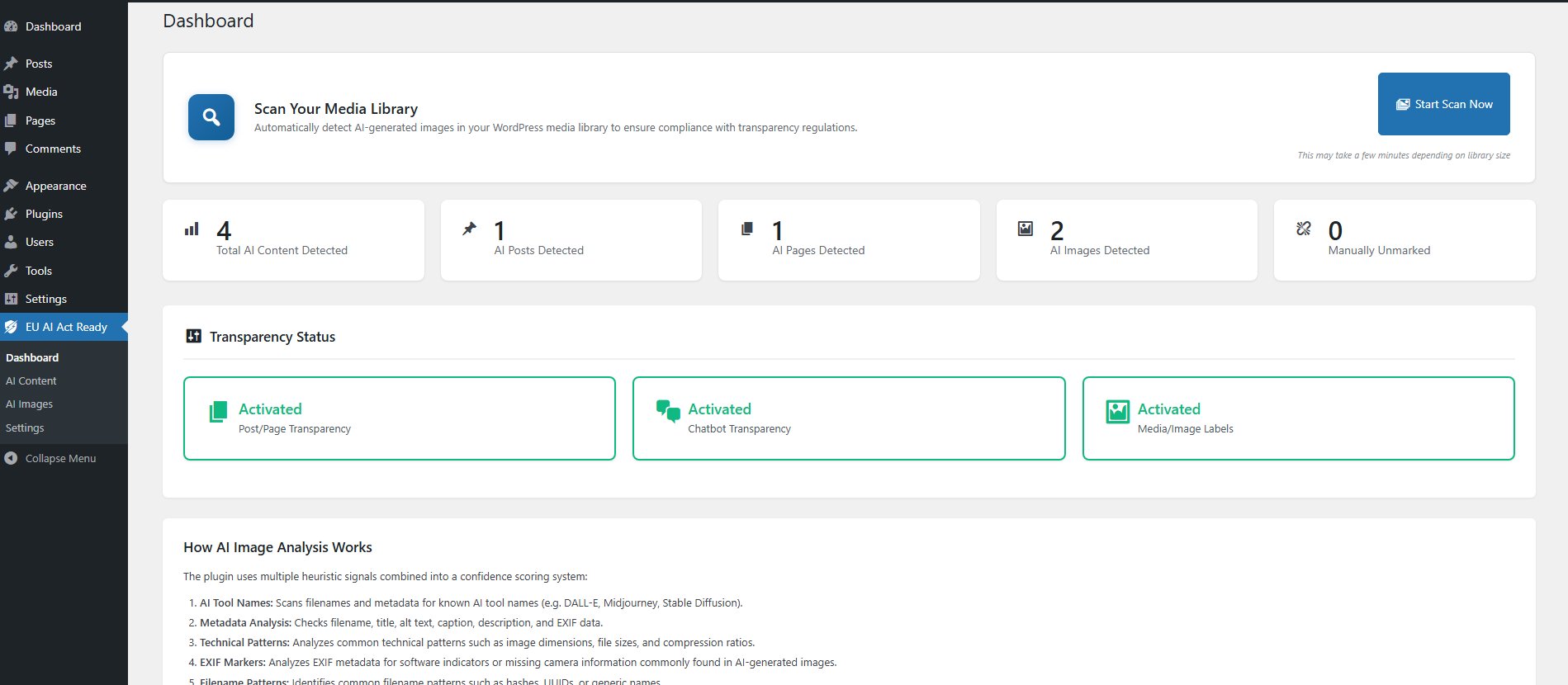
- Bulk Scanning Tools – Scan multiple media items simultaneously from the admin dashboard
- Manual Override Controls – Mark or unmark content and media as AI-generated at any time
- Customizable Disclosure Messages – Configure wording, style, and placement of transparency notices; each disclosure level shows its own default message or a shared custom message
- Lightweight & Performance-Friendly – Detection runs asynchronously or on demand without slowing down your site
Minimum Requirements
- PHP 7.4 or greater (PHP 8.0 or greater recommended)
- MySQL 5.5.5 or greater, OR MariaDB 10.1 or greater
- WordPress 6.0 or greater
Screenshots
Installation
- Upload the plugin files to the
/wp-content/plugins/eu-ai-act-ready/directory, or install the plugin through the WordPress Plugins screen. - Activate the plugin through the “Plugins” screen in WordPress.
- Navigate to EU AI Act Ready Settings to configure disclosure notices, detection options, and chatbot transparency.
FAQ
-
How does the plugin detect AI-generated media?
-
The plugin flags potentially AI-generated images using multiple heuristic signals, including attachment metadata, filenames, EXIF information, and common technical patterns. Images can also be manually marked or unmarked at any time.
-
Does the plugin automatically detect AI-generated text?
-
No. AI-generated text disclosure must be applied manually by the site owner to ensure accuracy and editorial control. The plugin does not analyze or infer AI usage in text content.
-
Can I customize the disclosure messages?
-
Yes. You can fully customize the wording, placement, and style of disclosure notices from EU AI Act Ready Settings.
-
Does this plugin slow down my site?
-
No. Detection processes run asynchronously or on demand. Front-end output is lightweight and loads only when disclosures are enabled.
-
Which AI tools and chatbot platforms are supported?
-
EU AI Act Ready supports transparency disclosures for AI-generated content created using tools such as ChatGPT, GPT-4, DALL-E, Claude, Google Gemini, Midjourney, Stable Diffusion, GitHub Copilot, and similar AI platforms.
For chatbots, the plugin supports disclosure notices for platforms including Formilla, Intercom, Drift, Tidio, Tawk.to, Zendesk Chat, LiveChat, Crisp, Freshchat, as well as custom or self-hosted chatbot implementations. Chatbot disclosures can be enabled per platform from the plugin settings.
-
Is this plugin GDPR compliant?
-
Yes. The plugin does not collect, store, or transmit personal data and does not process user data for AI detection or AI transparency features. All processing happens locally on your server, and no data is sent to third-party services.
-
Does it work with Gutenberg, Elementor, and the Classic Editor?
-
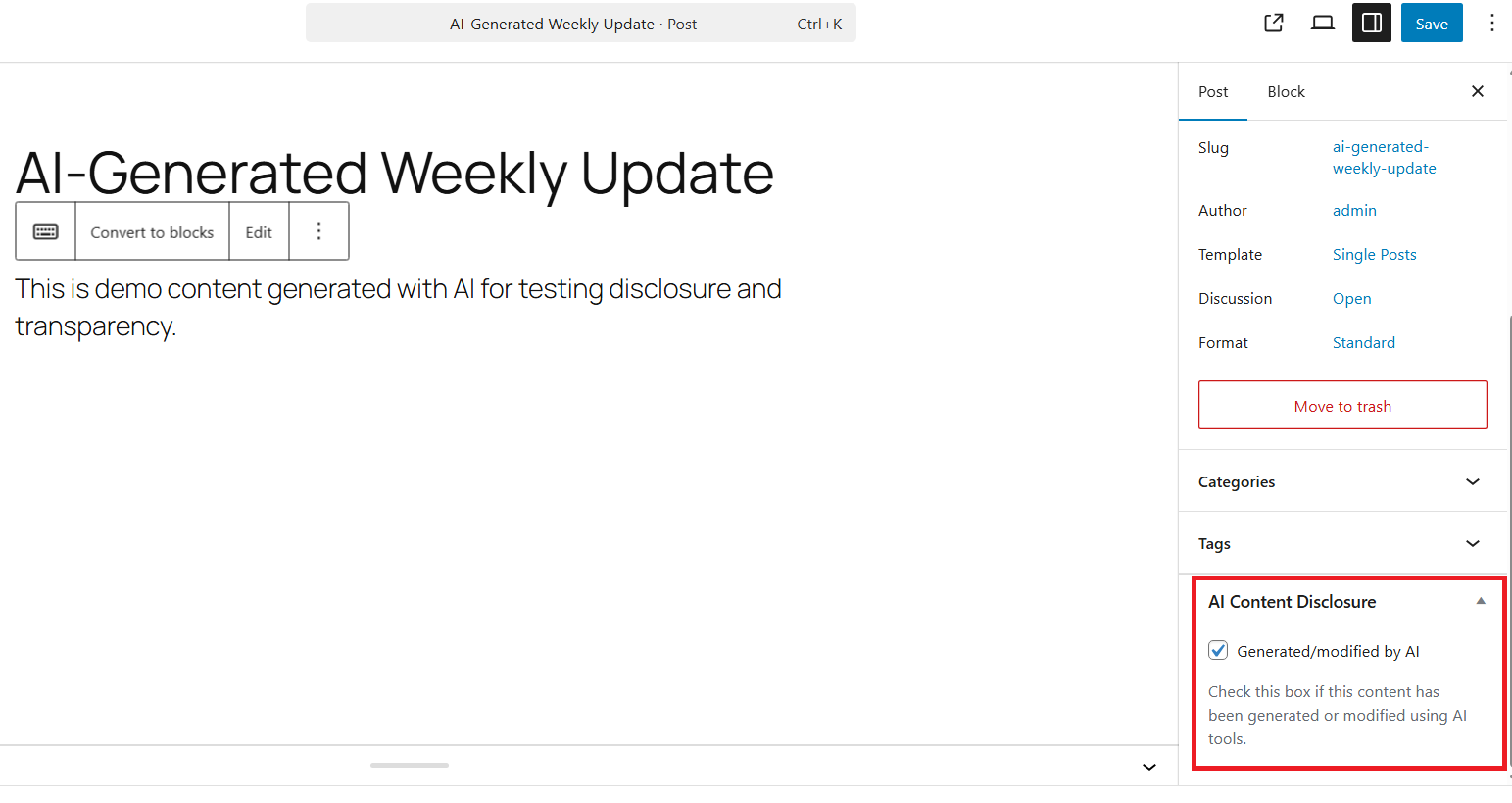
Yes. EU AI Act Ready works with the Gutenberg block editor, Elementor, and the Classic Editor. The AI Content Disclosure meta box appears in the editor and lets you choose from four disclosure levels. You can also set the disclosure level from the Posts list using Quick Edit, without opening the post editor.
-
How do I bulk scan existing images?
-
Go to EU AI Act Ready Dashboard and use the bulk scanning tools to process media library items in batches.
-
Can I use this with custom post types?
-
Yes. From Settings Content Transparency Content Types, you can enable the AI disclosure meta box, list column, and bulk actions for any public post type registered by installed themes and plugins. Posts and pages are enabled by default; all other public post types can be toggled on or off.
-
Can I manually mark content as AI-generated?
-
Yes. You can manually mark or unmark any post, page, custom post type, or media item as AI-generated using editor controls or bulk actions.
-
What happens if I deactivate the plugin?
-
All plugin settings and AI content markers remain stored in the database. Reactivating the plugin restores all functionality. To remove all data, uninstall the plugin.
-
After updating to version 1.0.2 on a German-language site, the plugin seems to have disappeared. How do I fix this?
-
Version 1.0.2 shipped with a translation bug: the plugin’s own name “EU AI Act Ready” was incorrectly translated to “EU-KI-Act-konform” in the German language file. On sites running WordPress in German (de_DE), this caused the plugin to appear under the translated name in the Plugins list, and – if you replaced the plugin files manually – WordPress may have auto-deactivated it while the directory was momentarily empty.
Your settings and data are safe. No database content is deleted when a plugin is deactivated.
To recover:
- Go to Plugins Installed Plugins in your WordPress admin.
- Look for either “EU AI Act Ready” or “EU-KI-Act-konform” in the list (depending on your WordPress version, it may appear under either name).
- Click Activate.
That is all. All previously saved settings, AI content markers, and media scan results are restored immediately.
The translation bug is fixed in version 1.0.3. After updating to the fixed release the plugin name will always display as “EU AI Act Ready” regardless of the site language.
Reviews


Contributors & Developers
“EU AI Act Ready” is open source software. The following people have contributed to this plugin.
Contributors
Translate “EU AI Act Ready” into your language.
Interested in development?
Browse the code, check out the SVN repository, or subscribe to the development log by RSS.
Changelog
1.1.0
- Added: Four AI disclosure levels – No AI used, AI-assisted, AI-generated, and AI-generated & human-reviewed – replacing the previous single checkbox.
- Added: Each disclosure level shows its own default notice text on the frontend; a shared custom message can override all levels from Settings.
- Added: Quick Edit support – set the AI disclosure level directly from the Posts list without opening the post editor.
- Added: Dedicated AI Content admin page listing all AI-marked posts with their disclosure level, one-click unmark, and bulk unmark action.
- Added: Four content notice display styles – Banner, Inline, Badge, and Modal.
- Added: Five chatbot transparency notice styles – Banner, Badge, Inline, Modal, and Tooltip.
- Added: Custom post type support – any public post type registered by a theme or plugin can now be enabled for AI content disclosure from Settings Content Transparency Content Types.
- Added: Posts and pages remain enabled by default and can be individually deactivated from the same settings section.
- Improved: Posts list filter includes all four disclosure levels for precise filtering.
- Improved: The AI Content management page now lists AI-marked items from all enabled post types, not only posts and pages.
1.0.4
- Compatibility: Tested up to WordPress 7.0
1.0.3
- Fixed: German translation incorrectly translated the plugin name, causing it to appear as “EU-KI-Act-konform” on German-language sites and preventing WordPress from recognising the previously active plugin after a manual update. (props @archandha)
1.0.2
- Added: German (de_DE) translation (props @archandha)
1.0.1
- Fixed: stripos() error when processing array values in media EXIF data (props @archandha)
1.0.0
- Initial release